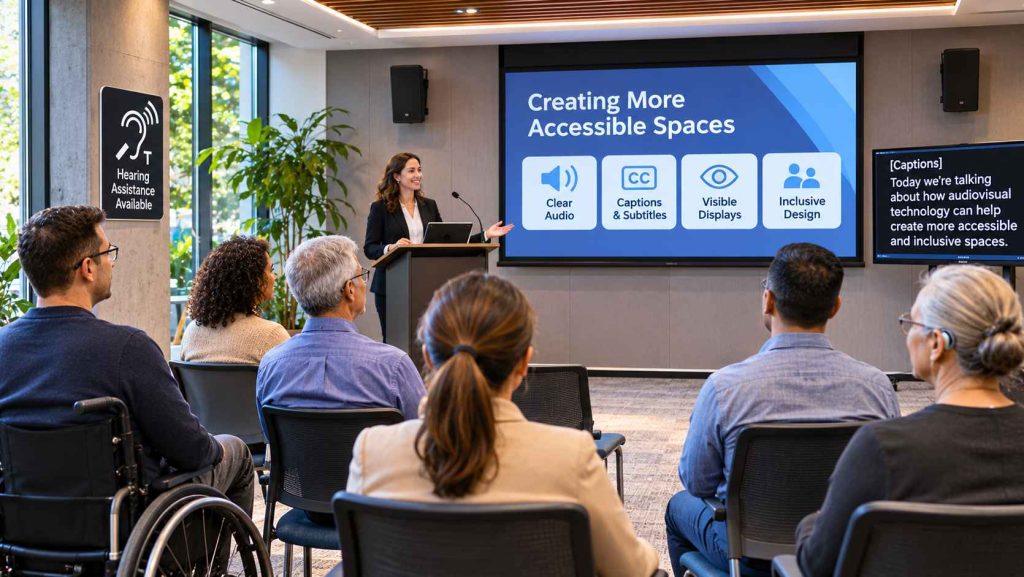
A community meeting, workplace presentation, or public information session should provide everyone with a reasonable opportunity to understand and participate. Yet communication can become difficult when sound is unclear, screens are poorly positioned, or important information is available in only one format.
Audiovisual technology plays an important role in how people receive information in offices, community centres, educational facilities, and other shared environments.
Microphones, speakers, displays, captions, and presentation systems can support more accessible communication when they are selected and installed thoughtfully.
For Canadian businesses and community organizations, accessibility should be considered from the beginning of audiovisual planning rather than treated as an optional improvement after installation.
Why Accessibility Matters in Public and Commercial Spaces
Accessibility involves creating environments that consider different abilities, preferences, and communication needs.
In public and commercial settings, people may experience barriers related to hearing, vision, mobility, or other accessibility requirements.
For example, a visitor attending a community presentation may have difficulty hearing a speaker because of background noise. Another participant may struggle to read information displayed on a distant screen.
These challenges can affect participation even when the information itself is valuable.
Accessible audiovisual planning considers how people will experience a space and what adjustments may help reduce communication barriers.
However, accessibility needs vary between individuals. No single equipment arrangement automatically meets every person’s requirements.
The Importance of Clear Speech and Suitable Sound Systems
Clear speech is essential in meeting rooms, conference facilities, classrooms, and public gathering spaces.
A presentation becomes difficult to follow when voices sound muffled, background noise interferes, or speakers are poorly positioned.
Room size, ceiling height, surface materials, and audience seating arrangements can all influence sound clarity.
For example, a large meeting room with reflective walls may produce excessive reverberation that makes spoken information harder to understand.
Appropriate microphones and sound systems can help distribute speech throughout a room.
However, increasing the volume is not always the best solution.
Clear communication depends on balanced sound distribution, suitable equipment, and consideration of the room’s acoustic characteristics.
Organizations should also evaluate whether assistive listening technologies are appropriate for their intended audiences.
How Display Screens Support Accessible Communication
Visual displays can complement spoken information by presenting important messages in written or graphical formats.
In workplaces, screens may display meeting agendas, presentations, instructions, or announcements.
Community organizations may use digital signage to share schedules, directions, and event information.
However, the presence of a screen does not automatically make communication accessible.
Text size, contrast, positioning, and viewing distance influence whether information is easy to read.
Choosing Appropriate Screen Placement
Displays should be positioned so participants can view information without unnecessary obstruction or discomfort.
Organizations should consider seating arrangements, room dimensions, and possible glare from windows or lighting.
Making Visual Information Easier to Understand
Presentations benefit from readable text, clear formatting, and sufficient contrast between foreground and background colours.
Important information should not depend entirely on colour distinctions.
These considerations can support a wider range of viewers, including people with low vision.
Why Captions and Alternative Formats Matter
Captions provide a text representation of spoken content and relevant audio information.
They can be particularly useful for people who are Deaf or hard of hearing, as well as participants who benefit from reading alongside spoken presentations.
For recorded video presentations, captions may allow viewers to understand important dialogue without relying entirely on audio.
Live events may require additional captioning services or compatible technology.
The W3C Web Accessibility Initiative guidelines provide internationally recognized guidance for accessible digital content, including considerations for captions and other media alternatives.
These guidelines are valuable when planning digital presentations and online media, but they do not independently establish whether a physical venue meets all applicable accessibility requirements.
Organizations should also consider transcripts, audio descriptions, and other communication alternatives when appropriate.
Considering Hearing and Visual Accessibility Needs
People experience hearing and visual accessibility needs differently.
Some individuals may benefit from amplified speech, while others rely on captions, assistive listening devices, or alternative communication methods.
Similarly, people with visual accessibility needs may require larger text, appropriate contrast, or spoken descriptions of information displayed on screens.
For example, a presenter describing a chart verbally can help participants who cannot clearly see the display understand its main message.
Hearing assistance systems may include technologies such as induction loops or other compatible listening solutions.
However, the suitability of these systems depends on the venue, equipment, and intended users.
Organizations should avoid assuming that a standard speaker system or large display provides sufficient accessibility for everyone.
How Room Layout and Lighting Influence Accessibility
Audiovisual accessibility is closely connected to physical space.
A well-positioned projector may still be difficult to use if seating blocks the view or lighting creates excessive glare.
Similarly, a high-quality sound system may provide uneven coverage when speakers are poorly positioned.
Room planning should consider:
- Clear sightlines between audiences and presentation screens.
- Appropriate lighting for both presentations and movement.
- Suitable speaker placement and sound distribution.
- Accessible seating arrangements and circulation routes.
- Convenient access to controls and communication equipment.
- Opportunities to accommodate assistive technologies.
These considerations are particularly important in multipurpose spaces where room arrangements change regularly.
Planning with flexibility in mind can help organizations support different activities and audiences.
Why Professional Audiovisual Planning Matters
Larger audiovisual installations may involve multiple displays, microphones, speakers, control systems, and networking components.
These systems must work together while supporting the practical requirements of the building.
Organizations considering commercial audiovisual installation solutions can benefit from reviewing room layouts, communication objectives, equipment compatibility, and accessibility needs before selecting technology.
For example, a conference facility may require microphones that support different seating arrangements, while a community centre may need flexible presentation systems for events of varying sizes.
Professional planning can help identify technical requirements and potential limitations.
However, audiovisual installation expertise does not automatically replace specialized accessibility consultation or formal compliance assessments.
Organizations should involve appropriately qualified professionals when their projects require additional accessibility evaluation.
Understanding the Needs of Different Users
One of the most practical steps in accessible technology planning is speaking with the people who will use the space.
Employees, visitors, presenters, and community members may identify challenges that are not obvious during equipment selection.
For example, regular participants may explain that announcements are difficult to hear from particular seating areas.
Others may report that display text is too small or that presentation materials are not available in accessible formats.
Gathering feedback before installation can help organizations prioritize improvements.
It is also useful to review how systems function after they are installed.
Accessibility planning should remain responsive to changing technology, activities, and user needs.
Creating Practical Audiovisual Improvement Plans
Businesses and community organizations do not always need to replace their entire audiovisual infrastructure.
A practical improvement plan begins with identifying existing communication barriers.
Review Current Equipment
Assess whether microphones, speakers, displays, and presentation systems support the activities taking place.
Identify Accessibility Priorities
Consider whether improved speech clarity, captioning, better screen visibility, or assistive listening options would address identified needs.
Evaluate Compatibility
Confirm that proposed equipment can work with existing systems and available infrastructure.
Plan for Training and Maintenance
Employees should understand how to operate installed equipment and identify technical problems.
Organizations can also explore audiovisual providers such as Signature Audio Video, which offers audio/video equipment and integration solutions in the Ottawa region.
Any proposed installation should be evaluated against the organization’s specific accessibility objectives.
Conclusion: Accessible Communication Requires Thoughtful Planning
Audiovisual technology can help make workplaces, public facilities, and community environments more inclusive.
Clear speech, readable displays, captions, appropriate room layouts, and assistive technologies can reduce communication barriers for different audiences.
However, meaningful accessibility requires more than installing modern equipment.
Organizations must consider individual needs, technical compatibility, physical environments, and opportunities for ongoing improvement.
By gathering user feedback and incorporating accessibility considerations early in the planning process, businesses and community groups can make more informed technology decisions.
Ultimately, accessible audiovisual design is about helping people receive information, communicate effectively, and participate with greater independence and confidence.